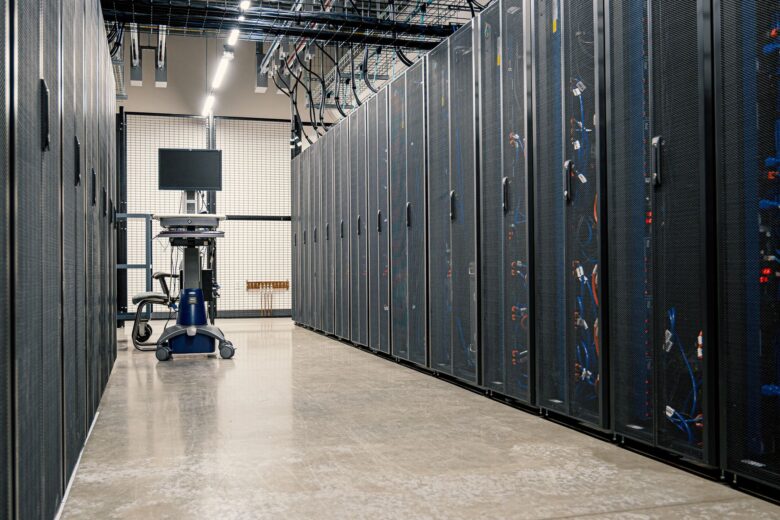
Google Cloud Platform operates on the same infrastructure that powers Google’s consumer products — Search, YouTube, and Gmail. For engineers coming from AWS or Azure, understanding how GCP structures its services, organizes resources hierarchically, and leverages its global fiber network is essential before migrating workloads or designing multi-cloud architectures. This article breaks down the mechanics of GCP without marketing fluff.
GCP’s Global Infrastructure and Network Fabric
Unlike providers that regionally partition their networks, GCP builds on a single global network backbone — a private fiber mesh connecting over 40 regions and more than 200 zones worldwide. Every region contains at least three zones, each an independent deployment with its own power, cooling, and networking. When you provision resources in multiple regions, traffic between them travels over Google’s private WAN rather than the public internet, which drastically reduces latency and egress costs for cross-region workloads [3].
This architecture has direct implications for design decisions. A multi-region GKE cluster, for instance, can distribute pods across zones within a single region for high availability, or you can deploy separate clusters per region and use global load balancing to route traffic. The global anycast IP that GCP’s load balancers expose means a single IP address can serve users worldwide, with Google’s network deciding the closest healthy backend [3]. For DevOps teams comparing this to AWS’s Regional VPCs, the key difference is that GCP’s VPCs are global by default — subnets in different regions belong to the same VPC and can communicate without VPC peering.
Resource Hierarchy: How GCP Organizes Everything
Every resource in GCP exists within a strict four-level hierarchy: Organization, Folder, Project, and Resource. The Organization node ties to your Google Workspace or Cloud Identity domain and represents the top-level container. Folders provide grouping and policy inheritance below that. Projects are the billing and isolation boundary — all deployable resources (VMs, buckets, databases) live inside a project. IAM policies set at a higher level flow down unless explicitly overridden at a lower level [3].
This structure matters for platform administrators managing multiple teams. In AWS, the equivalent grouping relies on accounts and OUs within AWS Organizations. In GCP, a single Organization can host hundreds of projects without the per-account overhead that AWS introduces. However, this also means that misconfigured IAM at the folder level can cascade to all child projects. A common pattern among mature teams is to map folders to business units, projects to environments (e.g., eng-prod-eu-west1), and enforce Organization Policies at the folder level to prevent risky configurations like public IP assignment on certain VMs or disabling Cloud Audit Logs [4].Compute Services: From VMs to Serverless
GCP’s compute layer spans three main abstractions: infrastructure-as-a-service VMs (Compute Engine), container orchestration (Google Kubernetes Engine), and serverless platforms (Cloud Run, Cloud Functions, App Engine). Compute Engine provides configurable VMs with custom machine types, allowing you to specify exact vCPU and memory ratios — useful for workloads that don’t fit standard instance families. Preemptible and Spot VMs offer significant cost reductions (up to 90%) for fault-tolerant batch jobs, similar to AWS Spot Instances but with GCP-specific termination signaling [3].
Google Kubernetes Engine (GKE) is where most containerized workloads land. GKE offers two operational modes: Standard (you manage the control plane node pool) and Autopilot (Google manages the entire cluster infrastructure, billing per pod-second). Autopilot eliminates the need to size node pools, configure autoscaling thresholds, or patch the underlying OS — you deploy workloads and Google handles the rest [6]. For teams already running Kubernetes on EKS or AKS, GKE’s differentiator is deep integration with GCP services: Workload Identity maps Kubernetes service accounts to GCP service accounts without storing credentials as secrets, and GKE’s native support for GCP’s KMS for encryption at rest is straightforward compared to the equivalent AWS setup [1].
Cloud Run has emerged as the preferred serverless option for stateless HTTP workloads. It runs any container image, scales to zero when idle, and supports concurrency settings per revision. Compared to AWS Fargate, Cloud Run abstracts away the cluster entirely — there are no VPC subnet allocations or security group configurations to manage. For event-driven architectures, Cloud Functions (now supporting both Python/Node.js and newer runtimes via Cloud Run functions) provides a lightweight trigger-based execution model [6].
Storage Tiers and Data Persistence Models
GCP’s storage portfolio is organized around four primary services: Cloud Storage (object), Persistent Disk (block), Filestore (NFS), and Cloud SQL / Spanner (structured). Cloud Storage offers four storage classes — Standard, Nearline, Coldline, and Archive — each with different minimum storage durations and retrieval costs. A critical detail engineers often miss: lifecycle rules can automatically transition objects between classes, but transitioning out of Archive before the 365-day minimum incurs an early deletion fee [3].
Persistent Disk attaches to Compute Engine VMs and GKE pods as block storage. It comes in two types: SSD (pd-ssd) for latency-sensitive databases and HDD (pd-standard) for bulk data. Regional Persistent Disks replicate data synchronously across two zones in a region, providing durability without application-level replication — useful for PostgreSQL or MySQL instances on GKE where you want zone-level failover without running a replica set. For multi-region durability, Cloud Storage with dual-region or multi-region buckets is the standard approach [2].
Filestore provides managed NFS v3/v4.1 file shares, useful for legacy applications that require shared filesystem semantics. Cloud SQL offers managed MySQL, PostgreSQL, and SQL Server with automated backups, point-in-time recovery, and high-availability configurations. For globally distributed relational data, Cloud Spanner provides externally consistent transactions across regions — a capability no other major cloud offers natively, though it comes at a significantly higher cost per node [2].
Networking: VPCs, Subnets, and Traffic Management
As mentioned, GCP VPCs are global constructs. When you create a subnet, you specify both a region and an IP CIDR range. VMs in that subnet receive IPs from that range, but they can communicate with VMs in subnets in other regions within the same VPC without any peering configuration. This simplifies network architecture compared to AWS, where VPCs are regional and inter-region communication requires VPC peering or Transit Gateway [3].
GCP uses firewall rules attached to the VPC (not to subnets or individual instances) with priority-based evaluation. Each rule specifies a direction (ingress or egress), a target (by network tag, service account, or IP range), and an action (allow or deny). For engineers used to AWS security groups, this is a shift — there are no instance-level security groups in GCP. Instead, you use network tags to group VMs and apply firewall rules to those tags. This works well at scale but requires disciplined tag management [3].
Cloud NAT provides outbound internet access for private VMs without public IPs. Cloud CDN sits in front of any HTTP(S) backend (Cloud Storage buckets, Cloud Run services, external origins) and leverages Google’s edge POPs. For private service connectivity, VPC Service Controls create a security perimeter around GCP APIs, preventing data exfiltration even if an attacker obtains valid credentials — a feature particularly relevant for organizations handling sensitive data [5].
Identity and Access Management in Practice
GCP’s IAM model is fundamentally different from AWS IAM. In GCP, permissions are not attached directly to users. Instead, you grant roles to members (users, groups, service accounts) on resources. Roles are collections of permissions — there are primitive roles (Owner, Editor, Viewer), predefined roles (e.g., compute.instanceAdmin), and custom roles where you select individual permissions. Google strongly recommends using the least-privilege predefined roles rather than primitive ones [3].
Service accounts are the identity mechanism for workloads. Every GCP project has a default service account, but best practice is to create dedicated service accounts per workload. Workload Identity (on GKE) or Workload Identity Federation (for non-GCP environments) allows a Kubernetes pod or an AWS IAM role to assume a GCP service account without exchanging key files. This is critical for multi-cloud setups where, for example, an EKS pod needs to write to a GCS bucket — you configure workload identity federation to trust the AWS IAM role, map it to a GCP service account, and grant that service account storage.objectCreator on the bucket [5].
Organization Policy Service adds another layer by allowing administrators to define constraints (e.g., constraints/compute.requireOsLogin to enforce OS Login on all VMs across the organization). Violations are logged but can also be enforced in deny mode, blocking the API call entirely [4].
Security Model and Compliance Controls
GCP’s security posture is built on several layers. At the infrastructure level, Google handles physical security, hardware-level encryption (all data at rest is encrypted by default with Google-managed keys), and network isolation through its custom-built titanium chips that provide hardware-rooted trust. Cloud KMS allows you to manage your own encryption keys (CMEK) for services that support it — Cloud Storage, BigQuery, Cloud SQL, Persistent Disk, and others. Customer-managed encryption keys (CMEK) ensure that if you disable or destroy the key, the data becomes permanently unreadable [5].
Cloud Audit Logs automatically record all API calls across every GCP service. Admin Activity logs are always on and cannot be disabled. Data Access logs (which log reads of data, not just configuration changes) can be enabled for most services. For security operations teams, these logs feed into Cloud Logging and can be exported to BigQuery, Pub/Sub, or external SIEMs in real time [5].
VPC Service Controls create a security boundary around GCP resources, controlling data movement between resources within the perimeter and blocking access from outside it. Combined with Organization Policies, IAM conditions (context-aware access based on IP, device status, or time), and BeyondCorp Enterprise (zero-trust access to web applications), GCP provides a layered defense model. For teams migrating from AWS, the closest analog to VPC Service Controls would be a combination of VPC endpoints, SCPs, and Macie, though GCP’s implementation is more tightly integrated at the API level [5].
Observability: Cloud Monitoring and Logging Stack
Cloud Monitoring (formerly Stackdriver) provides metrics collection, dashboards, and alerting across GCP services and hybrid environments. It ingests metrics from Compute Engine, GKE, Cloud Run, BigQuery, and hundreds of third-party integrations via the Ops Agent. For GKE workloads, Cloud Monitoring automatically collects container-level metrics (CPU, memory, network) and exposes them through the existing Kubernetes metrics pipeline — no separate Prometheus installation is required, though many teams still run Prometheus for custom metrics and thanos/cortex for long-term retention [6].
Cloud Logging centralizes logs from all GCP services, VMs, and containers. Logs can be filtered using a powerful query language, routed to sinks (BigQuery, Cloud Storage, Pub/Sub), and retained with customizable expiration policies. A practical pattern is to route security-relevant logs (Cloud Audit Logs Data Access, VPC Flow Logs) to a centralized logging project in BigQuery for long-term analysis and compliance reporting [6].
Cloud Trace provides distributed tracing for microservices, and Cloud Profiler offers continuous CPU and heap profiling for production services. Error Reporting aggregates and deduplicates errors from logged exceptions. Together, these form the observability stack — not as fully featured as a self-hosted Grafana/Prometheus/Loki stack in terms of customization, but significantly lower operational overhead for teams that don’t want to manage their own observability infrastructure.
Cost Management and Billing Architecture
GCP billing is per-project, but costs can be aggregated at the folder or organization level through the Cloud Billing API and BigQuery billing export. Committed Use Discounts (CUDs) provide up to 57% savings on Compute Engine, Cloud SQL, and other services in exchange for one- or three-year commitments — similar to AWS Reserved Instances but with more granular flexibility (you can commit to a specific machine type family or even a custom machine type shape). Sustained Use Discounts (SUDs) are automatic: if a VM runs for more than 25% of a month, you get a proportional discount that increases with usage up to 30% [2].
For containerized workloads, GKE Autopilot’s per-pod billing eliminates the need to estimate node sizes and can reduce waste from bin-packing inefficiencies. Cloud Run bills per request-millisecond, which for variable-traffic APIs is often cheaper than maintaining a minimum number of VMs. The Pricing Calculator and Recommender API provide automated right-sizing suggestions, flagging underutilized resources — GCP also applies AI-driven recommendations tailored to each account’s usage patterns [4].
For organizations running multi-cloud, a critical consideration is egress pricing. GCP offers premium and standard network tiers. Premium tier routes traffic over Google’s global network (lower latency, higher cost). Standard tier uses public internet peering (higher latency, lower cost). For inter-cloud data transfer (e.g., GCP to AWS), standard tier egress is significantly cheaper than premium, though latency may not be acceptable for latency-sensitive workloads [2].
How GCP Compares to AWS and Azure for Practitioners
For engineers evaluating GCP against AWS and Azure, the differences are structural rather than purely feature-based. AWS has the broadest service catalog and the most mature ecosystem. Azure has the deepest enterprise integration (Active Directory, Microsoft 365). GCP’s strengths lie in data/analytics (BigQuery, Dataflow, Pub/Sub), container orchestration (GKE is widely considered the most mature managed Kubernetes offering), and network performance (global VPC, premium tier) [1][2].
The table below maps common AWS and Azure services to their GCP equivalents for quick reference:
| Function | AWS | Azure | GCP |
|---|---|---|---|
| IaaS VMs | EC2 | Virtual Machines | Compute Engine |
| Managed Kubernetes | EKS | AKS | GKE |
| Serverless Containers | Fargate | Container Instances | Cloud Run |
| Object Storage | S3 | Blob Storage | Cloud Storage |
| Managed SQL | RDS | Azure SQL | Cloud SQL |
| Global Relational DB | Aurora Global | Cosmos DB | Cloud Spanner |
| Message Queue | SQS / SNS | Service Bus | Pub/Sub |
| Data Warehouse | Redshift | Synapse Analytics | BigQuery |
| IAM | IAM | Azure AD / Entra ID | Cloud IAM |
| Load Balancer | ALB / NLB | Application Gateway | Cloud Load Balancing |
Understanding these mappings helps when designing multi-cloud architectures or migrating workloads. However, direct feature mapping can be misleading — the operational model differs. GCP’s global VPC, firewall-rule-based security (no security groups), and service-account-based IAM require different automation patterns than AWS’s regional VPCs, security groups, and IAM policies attached to users or roles [3].
FAQ
Is GCP’s VPC really global by default?
Yes. When you create a VPC in GCP, it spans all regions. You create subnets within specific regions, but VMs in different regional subnets of the same VPC can communicate privately without VPC peering. This is a fundamental architectural difference from AWS, where VPCs are regional and require peering for cross-region communication within the same account.
How does GKE Autopilot differ from Standard GKE?
In Standard GKE, you manage node pools — choosing machine types, sizing, autoscaling parameters, and OS configurations. You pay for the nodes whether or not they run workloads. In Autopilot, Google manages the entire control plane and node infrastructure. You deploy workloads and are billed per-pod-second with a minimum of one minute. Autopilot handles bin-packing, scaling, patching, and node provisioning automatically. It is ideal for teams that want Kubernetes without node management overhead.
Can I use GCP services from AWS workloads?
Yes, through Workload Identity Federation. You configure a trust relationship between an AWS IAM role and a GCP service account. The AWS workload can then authenticate to GCP APIs using short-lived tokens from AWS STS, without storing GCP service account keys. This is the recommended pattern for multi-cloud architectures — for example, an EKS cluster writing analytics data to BigQuery or reading configuration from Secret Manager.
What happens to my data if I delete a CMEK encryption key?
If you delete a Customer-Managed Encryption Key (CMEK) that is used to encrypt data at rest in a GCP service (Cloud Storage, BigQuery, Persistent Disk, etc.), the encrypted data becomes permanently inaccessible. GCP does not retain a backup of your key. This is by design — CMEK provides a cryptographic guarantee of data destruction. Before deleting a key, ensure you have fully migrated or decrypted any data that depends on it.
Does GCP offer automatic sustained use discounts like AWS Savings Plans?
GCP offers both Sustained Use Discounts (SUDs) and Committed Use Discounts (CUDs). SUDs are automatic — no commitment required. If a Compute Engine VM runs for a significant portion of a month, you receive a discount that scales with usage (up to 30% for full-month usage). CUDs require a one- or three-year commitment and offer up to 57% savings. Unlike AWS Savings Plans, CUDs can be scoped to specific machine type families or even custom machine shapes.
Sources
[1] Google Cloud Platform: Guia para Iniciantes — GeekHunter Blog
[2] Google Cloud Platform: como funciona e por que usar — Mosten
[3] Google Cloud overview — Google Cloud Documentation
[4] O que é Google Cloud Platform? Como funciona + 7 vantagens — Safetec
[5] Perguntas frequentes sobre a segurança do Cloud — Google Cloud Help
[6] Training resources — Google Cloud