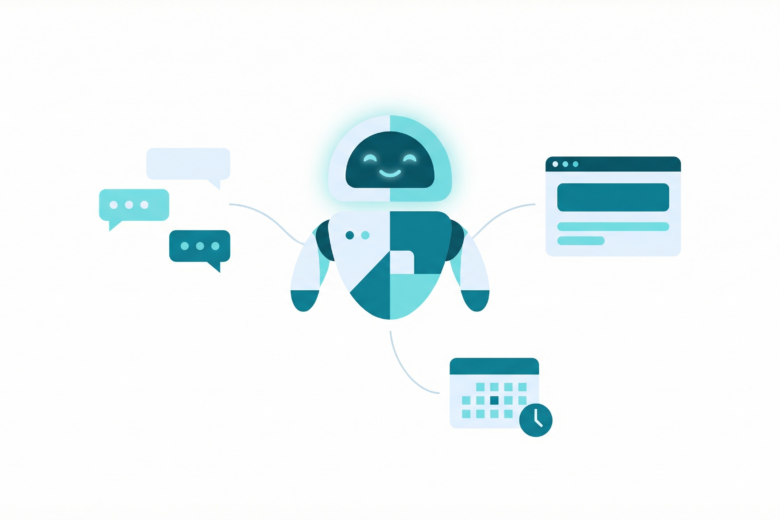
Clawdbot is the kind of AI assistant many of us actually need in 2026: not just a chatbot, but a tool-first agent that can connect to real channels (like WhatsApp), automate the browser, schedule reminders, and run repeatable workflows via modular “skills”.
In this article, I’ll explain what Clawdbot is, why it’s different from typical assistants, and share practical examples you can replicate—especially if you care about running your own automation stack.
What is Clawdbot?
Clawdbot is a self-hostable personal assistant framework that runs as a gateway service and connects an LLM to tools such as:
- Messaging channels (e.g., WhatsApp, Telegram, Signal, Discord)
- Browser automation (open pages, click, type, scrape, export)
- File operations (read/write/edit project files)
- Scheduled jobs (cron-style reminders and recurring tasks)
- Skills: modular capabilities for specific workflows (WordPress posting, news aggregation, email flows, image generation, etc.)
Instead of trying to solve everything with one prompt, Clawdbot encourages a “skills + tools + workspace” approach: the assistant can keep artifacts (posts, reports, prompts, drafts, images) in a working directory and iterate over them.
Why it’s different from a typical AI chatbot
Most assistants are optimized for conversation. Clawdbot is optimized for execution with guardrails:
- Actionable tooling: it can run commands, control a browser, and write files—not just suggest steps.
- Automation you can repeat: skills let you standardize workflows instead of improvising every time.
- Safety boundaries: you can require confirmation before public actions (publishing, sending to groups, deletions).
- Self-hosting mindset: keep your workflows close to your infrastructure and under your control.
Practical examples (real workflows)
1) Turn WhatsApp messages into tasks
Because Clawdbot can connect directly to WhatsApp, you can treat messages as triggers:
- “Remind me to pay invoice #421 tomorrow at 10:00” → creates a one-time cron job.
- “Summarize the last 20 messages and extract action items” → produces a checklist.
- “Draft a reply politely and keep it short” → generates a response draft you can approve.
2) Scheduled reminders that feel natural
Reminders aren’t just calendar events—they’re assistant messages delivered at the right time. A few examples:
- One-time: “In 2 hours, remind me to stand up and stretch.”
- Recurring: “Every Monday 08:30, send me a weekly plan template.”
- Follow-up automation: “48 hours after publishing a post, remind me to share it on social.”
3) Browser automation for repetitive web work
Some tasks are annoying because they live in dashboards and forms. Clawdbot can automate flows like:
- Open a page, log in, collect numbers, and write a report file.
- Compare pricing pages across vendors and extract the differences.
- Fill a form with data from a local file (carefully, with confirmations).
4) Content pipeline: draft → image → publish (WordPress)
A very practical workflow is publishing to WordPress:
- Draft the article in HTML/Markdown
- Generate a featured image based on the post theme
- Publish via WordPress REST API
- Schedule promotion reminders
This post was produced using that exact approach: the assistant drafted the text, generated a featured image, and can publish to WordPress as part of a repeatable workflow.
Tips for running Clawdbot responsibly
- Use application passwords for WordPress instead of your main password.
- Prefer environment variables (systemd/Docker secrets) over storing keys in project files.
- Require confirmations for public posts, mass messaging, and deletions.
- Log outputs: keep drafts, reports, and generated assets in a structured workspace.
Final thoughts
If you’re tired of assistants that only “talk”, Clawdbot is worth exploring. The real power is not a single magical prompt—it’s the combination of tools, skills, and a persistent workspace that turns an LLM into something closer to a practical operator.
I’ll be sharing more automation patterns and real experiments here on cloudai.pt.
Leituras relacionadas
- The New Local AI Playbook: Why Mixture-of-Experts Is Changing Real-World Deployment
- The New Bottleneck in Open AI: It’s Not Ideas, It’s Compute
- AI Doesn’t Reduce Work — It Intensifies It (And the Best Teams Design for That Reality)
Referências
Próximos passos práticos
Para transformar este conteúdo em resultado, comece definindo um objetivo mensurável para os próximos 30 dias, escolha um indicador principal e revise semanalmente os avanços.
Em seguida, documente um plano simples com prioridades, riscos e responsáveis. Isso reduz retrabalho e acelera execução, especialmente em times pequenos.
Por fim, faça um ciclo de melhoria contínua: execute, meça, ajuste e repita. Pequenas otimizações recorrentes tendem a gerar ganhos consistentes no médio prazo.